From a brief to a ready-to-launch campaign
Give adgensy your website or a short brief. It works out your offer, audience and budget, writes the ads, generates image and video creatives in your brand colours, and sets up the Google or Meta campaign. Nothing goes live until you approve it.
01 → 06
What happens, step by step
- 01
Read your site
adgensy opens your landing page, takes a screenshot and pulls out the product, value proposition, audience, tone, brand colours and logo. You can also just describe the brief in chat.
- 02
Plan the campaign
It proposes the structure: Google Search or Performance Max, or a Meta campaign with ad sets, plus locations, audience, daily budget and bidding, based on your goal and your existing account data.
- 03
Write and design the ads
Headlines and descriptions for Google, primary text for Meta, and images in every size the platforms ask for: 1.91:1 and 1:1 for Google, 4:5 and 9:16 for Instagram and Facebook. On request, an 8-second vertical video with on-screen text and voiceover.
- 04
Prepare the setup
Campaigns, ad groups or ad sets, keywords, assets and ads are prepared as one proposal. Meta campaigns are created paused.
- 05
You approve
You see every change before it is applied, in the adgensy app or in the ChatGPT or Claude permission prompt. Approve all, some, or none.
- 06
See if it worked
Every approved change is measured 7 and 14 days later: spend, conversions and cost per conversion before vs after.
A real example
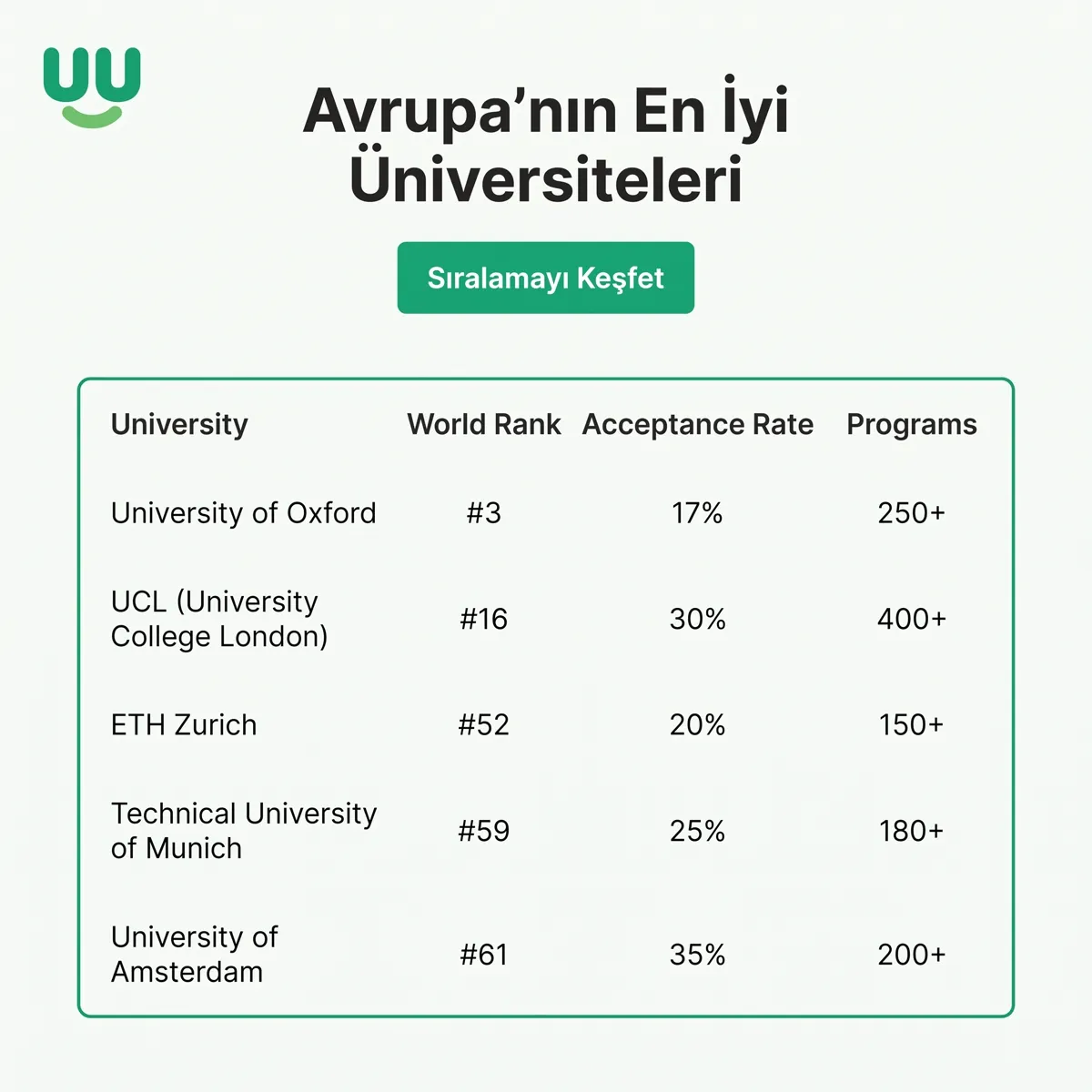
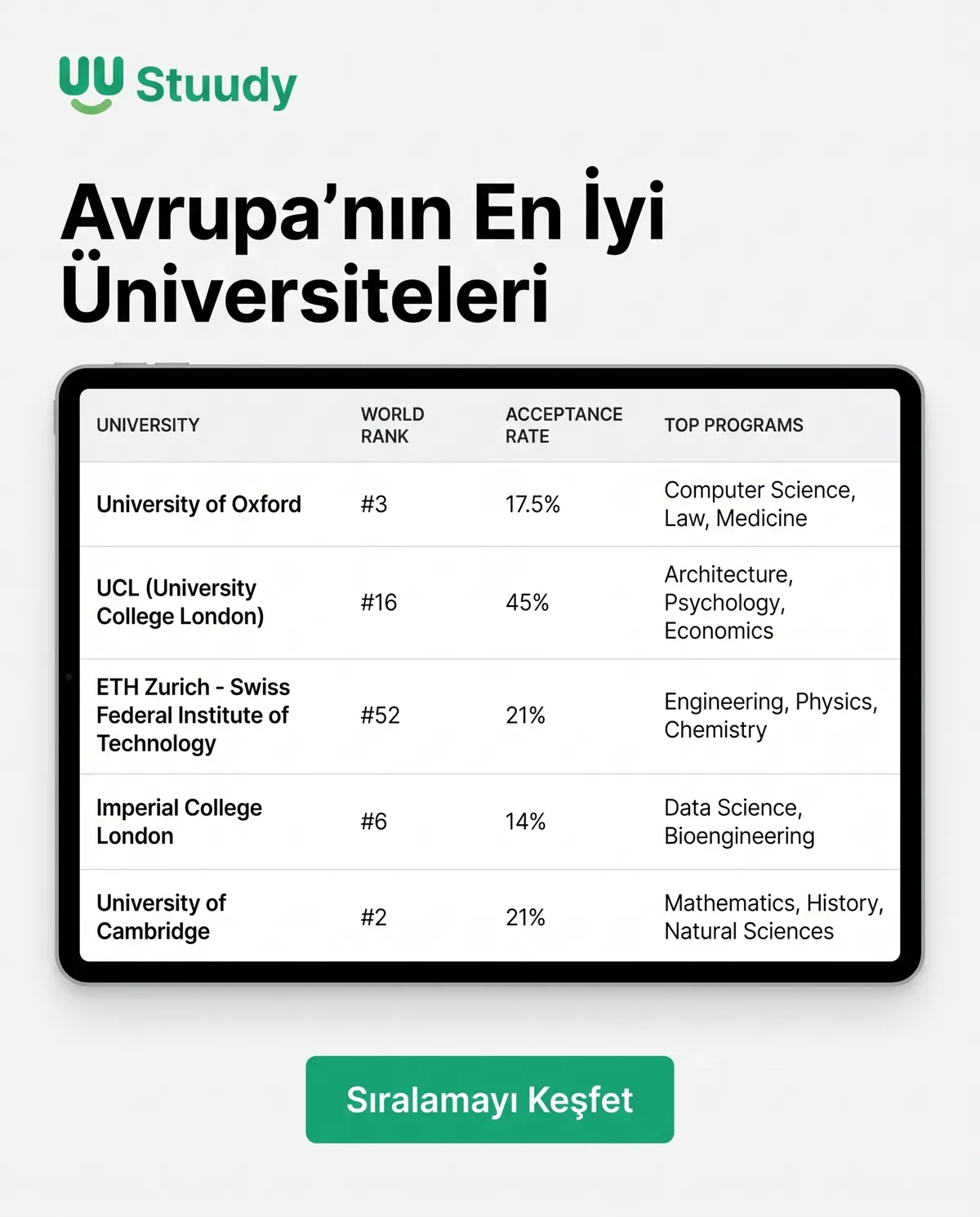
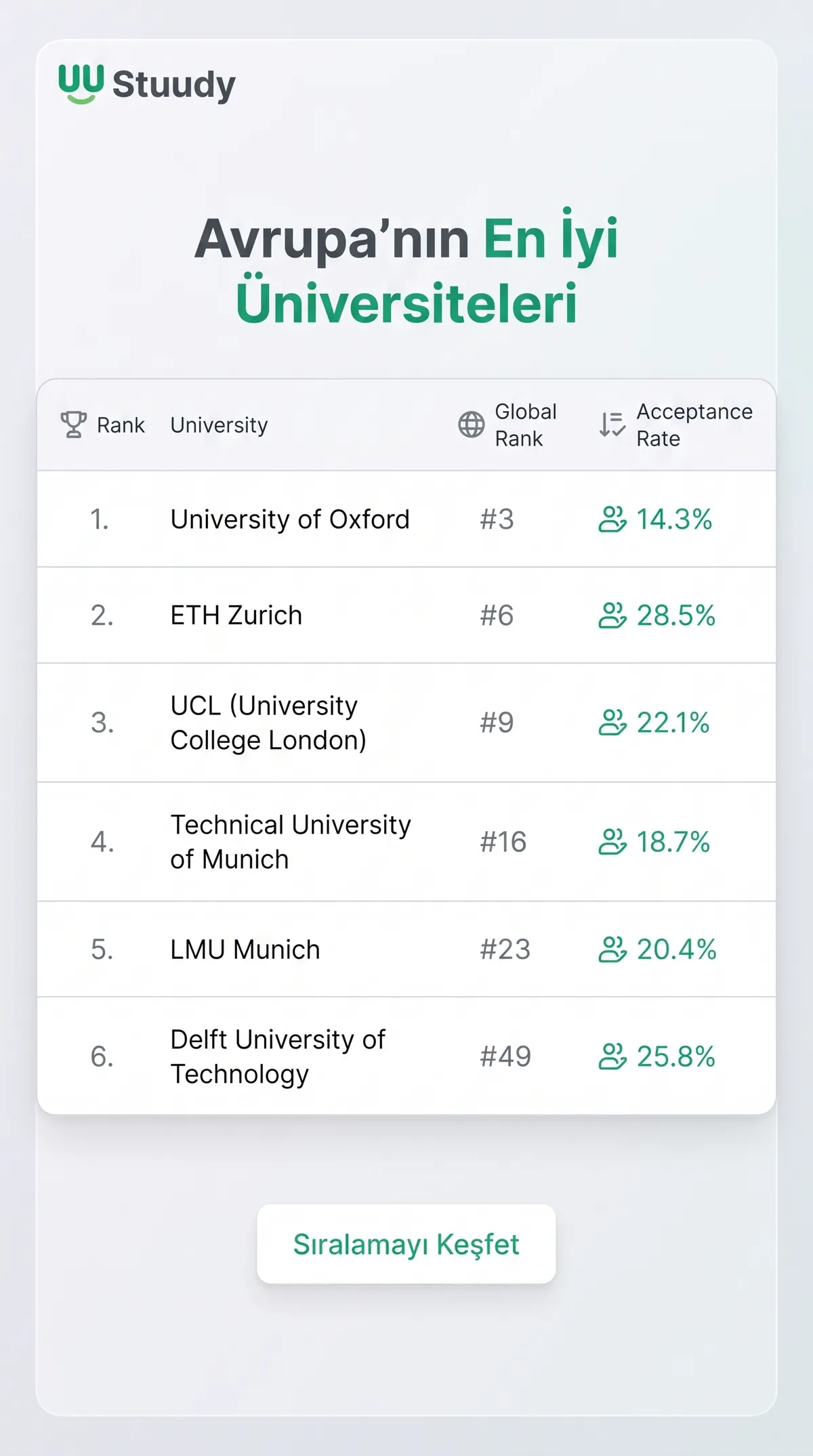
These four images were generated by adgensy from one landing page (stuudy.com, a university comparison site) with the goal "sign-ups". Brand colour, logo and message came from the page; no prompt was written.
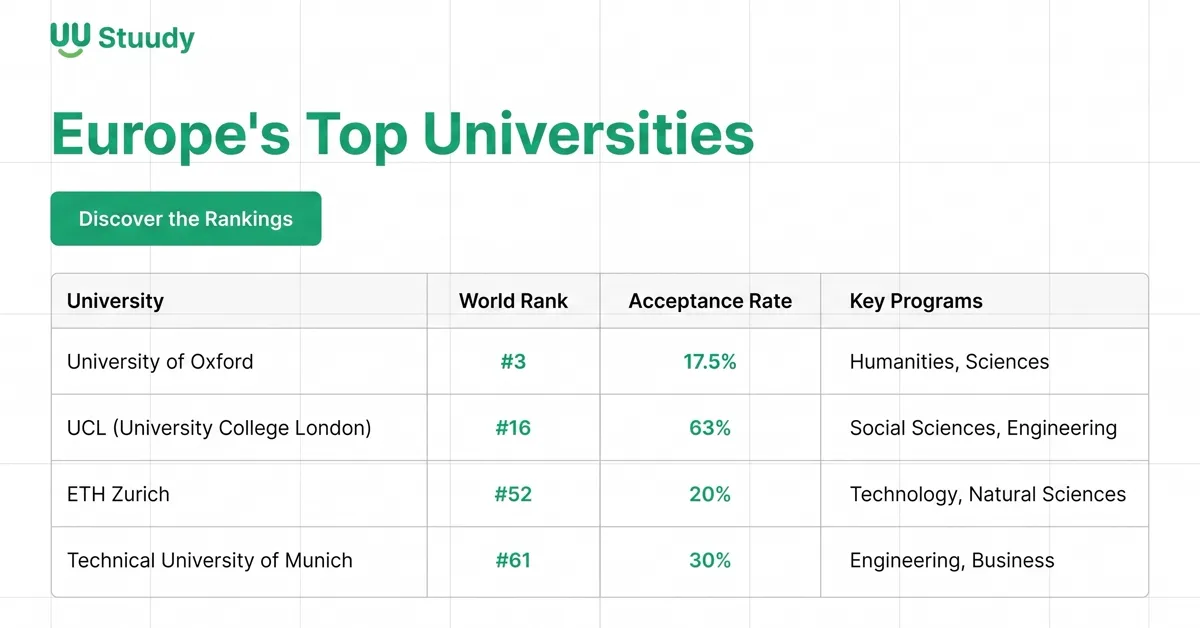
Generated images can vary the details they draw from the page (here, the numbers in the tables differ between sizes). That is why every creative waits for your review before it is used in an ad.
Where each part runs
- Planning, writing and campaign setup
- In ChatGPT, Claude and the adgensy app.
- Image and video generation
- In the adgensy app chat. Directory rules for ChatGPT and Claude connectors don't allow AI image or video generation, so this step stays in adgensy.
- Video voiceover
- Currently in Turkish. Image creatives work in any language.
Comparing brief-to-campaign tools? See how adgensy compares with other AI ad tools.
Questions
Can it build a campaign from scratch?+
Yes. For Google Ads it builds Search and Performance Max campaigns step by step (budget, campaign, ad groups, keywords, ads, assets), and for Meta it builds a campaign with ad sets and ads. Each stage is a proposal you approve.
Do I need to write prompts for the creatives?+
No. A landing page URL and a goal are enough. You can add direction in plain words, for example "white background, a real person, no effects", or upload a reference image for style.
Which sizes does it make?+
1.91:1 and 1:1 images for Google, plus 4:5 and 9:16 for Meta placements, and an optional 8-second 9:16 video for Reels and Stories.
Will it publish anything on its own?+
No. Nothing is applied to your ad accounts until you approve it, and new Meta campaigns are created paused.
Turn your next brief into a campaign.
Start free: connect Google Ads or Meta, paste your landing page, and approve what you like.